Shape your book from the first ideas to the final proof
You can start with photos, a website, a logo and a rough idea. Your project workspace keeps the brief, references, pages and approvals together.
You see the actual pages and complete book before anything is released to printing.
Tell us what the book should show
After ordering, explain who the book is for, how it will be used and the places, people or experiences you want to feature. Add your website, photos, logo and exact cover wording. You can suggest each scene or ask us to propose the scene list.
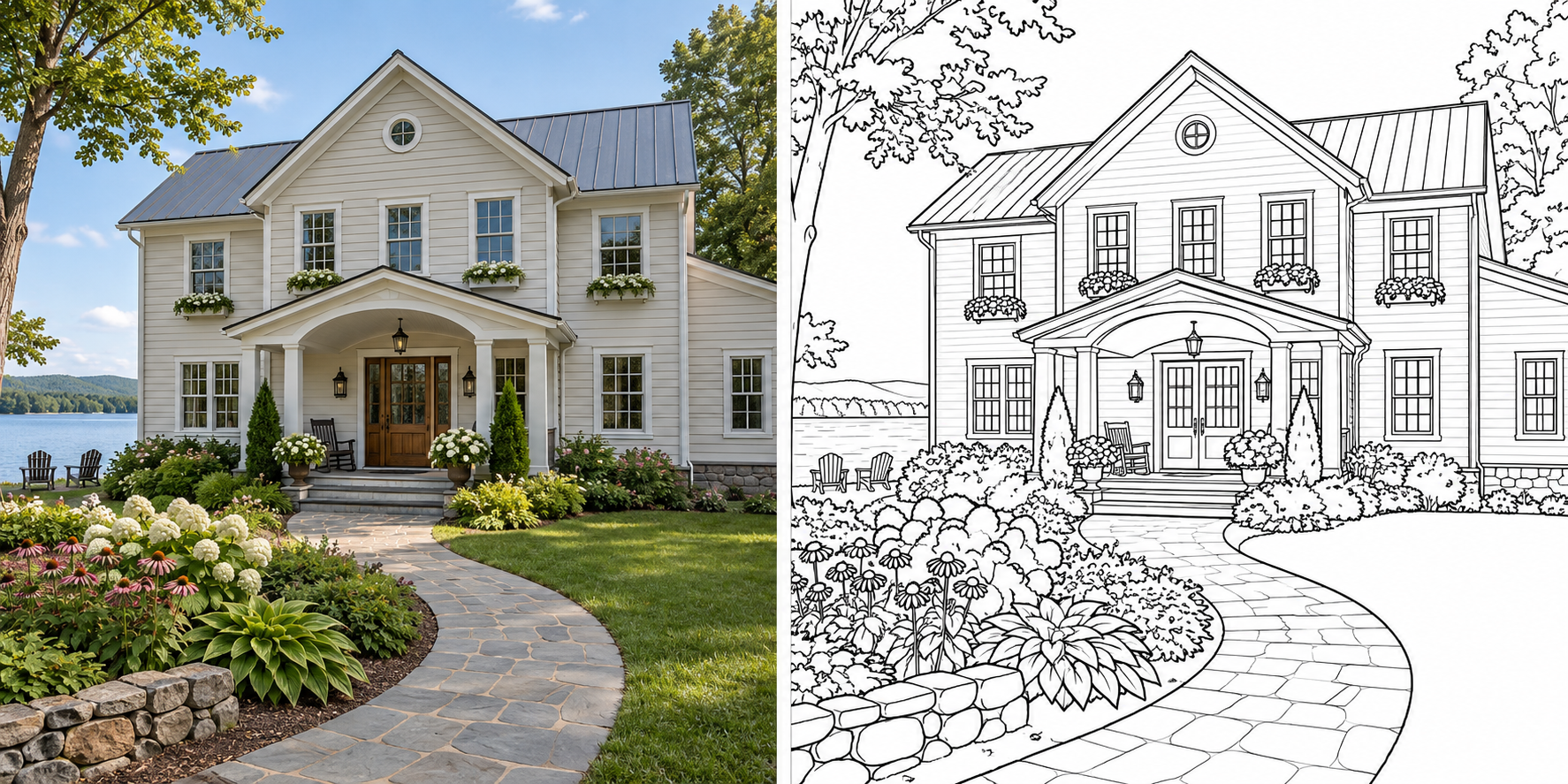
For something recognizable, show the details that matter. A full building photo establishes its shape; a closer view may help with the entrance or sign. Say what should stay accurate and what can change. Your logo can appear on the cover or any inside page.
You can save your brief and return later. Saving notes or uploading files does not start work; submit the brief when you are ready.
References help establish the scene
A reference can guide the subject and recognizable features while the composition is simplified for coloring.
Confirm the scenes and direction
Review the scene list and its order first. Then review the initial coloring page and cover direction. Use this step to check the audience, amount of detail and overall treatment before the remaining pages are produced.
Once you confirm the direction, the other pages follow it. You still review each one and can request changes.
Request changes where they belong
Open the page you want changed and describe what to keep and what to change. You can request a different direction for an existing page as well as specific corrections.
Revisions to your ordered pages and cover are unlimited before the book is committed to printing. Adding pages, changing copies or changing delivery can change the order price; contact us to agree on those changes first.
Use the project message panel for questions. A question is reviewed by a person and does not automatically regenerate a page.
Approve the complete book
The full PDF shows the cover, inside pages and intended blanks in order. Before approving it, check:
- The organization name, cover wording, dates and logos.
- Each scene, the recognizable details and any text.
- Page order, blank backs and the four cover pages.
- The quantity, delivery address and any web or QR destinations.
Your approval identifies the exact file for printing. You can reopen approval before the print lock; after supplier commitment, a change can require a new print run.
Printing and delivery follow approval
Allow 2–4 weeks for printing and delivery after final book approval. Creating, reviewing and revising the book takes place beforehand. Ask about a fixed event date before ordering.
Your project records printing progress and shipment information. Keep it to reorder the approved book when you need more copies.
Start with the pages and copies you need
You can see your complete price before preparing the brief.
See your price